Tips for Working with Text
In this post, we’ll walk you through:
Text FormattingConditional Line Break
Have you ever had the problem of long words breaking your website layout? Whether yes or no, it’s a good idea to insert conditional line breaks for long words to avoid this issue. A conditional line break is a line break that only occurs if the word is longer than the available space. In this case, a hyphen is automatically displayed at the break point.
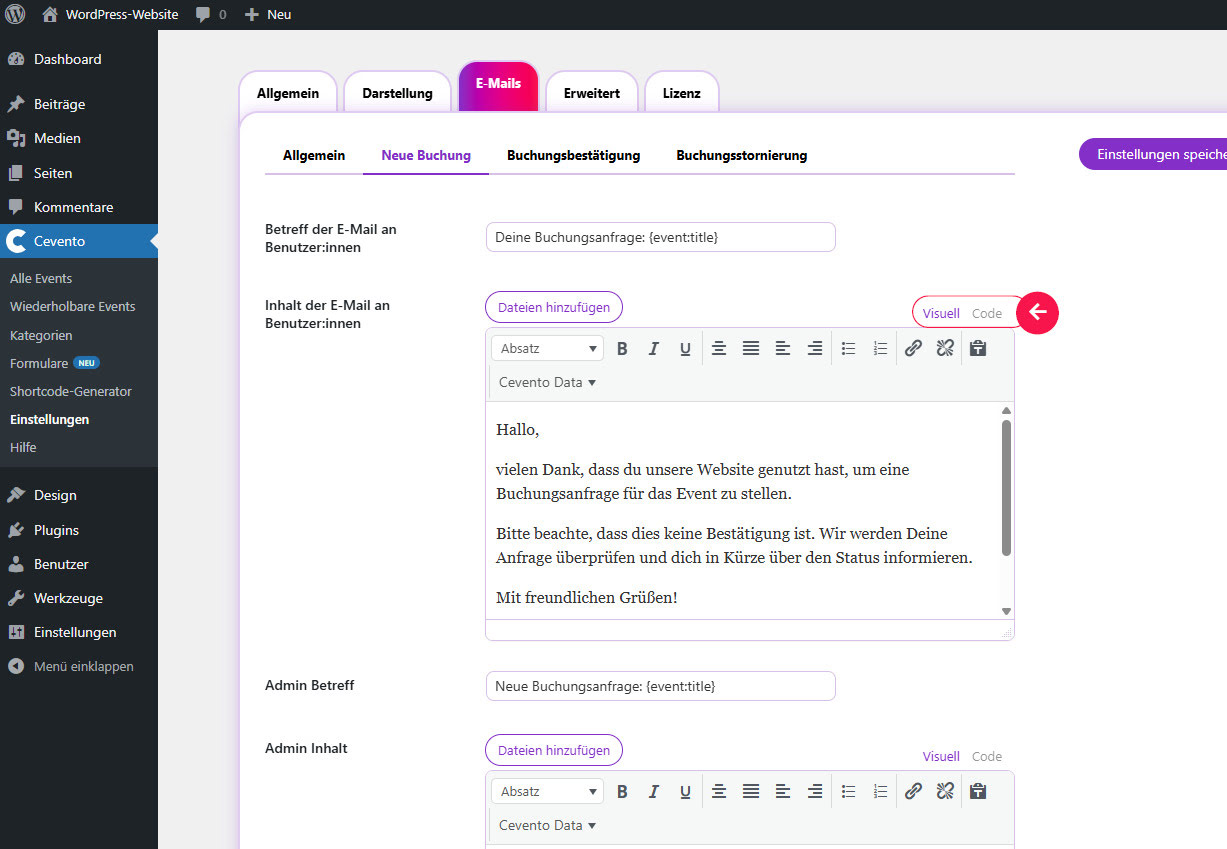
To insert a conditional line break, switch your editor to Code mode (or a similar mode that allows HTML). Then add the following code at the place in the word where it may break: shy;
To insert a conditional line break in your Cevento email templates, first activate developer mode in the global settings.
Text Editors
Pasting Text
Many text editors — including those of WordPress and Cevento — give you the option of a mode where HTML can be inserted. It is always recommended to activate this mode when pasting texts from a word processor, such as Word or LibreOffice, into your website. This way, no unwanted formatting or unnecessary/harmful HTML code is carried over.
To see the editor modes for Cevento email templates, first activate developer mode in the global settings.