Event Categories
In this post, we’ll walk you through:
Cevento gives you the ability to organize your events into categories. Each category gets its own archive view, and you can also configure your shortcodes so that only events from specific categories are displayed.
Overview
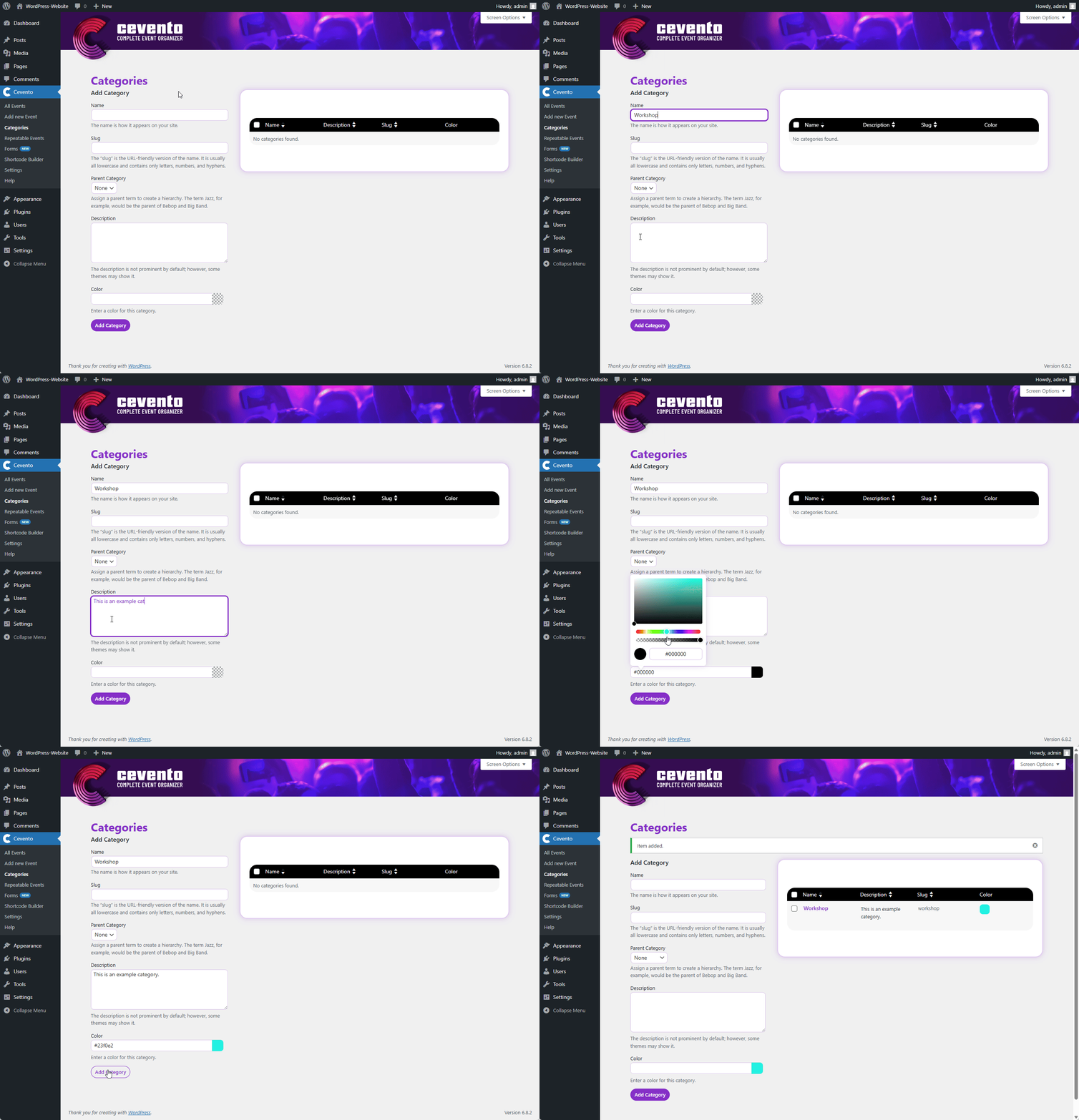
In the WordPress dashboard under Cevento → Categories, you will see a form on the left to create a new category and a table on the right with your existing categories.
Create a Category
To create a new category, fill in the fields on the left and click the button Add New Category. You can also assign a color to your category. This color overrides the background color of the category label of your events. Pay attention to the information provided for the various other fields that WordPress makes available.
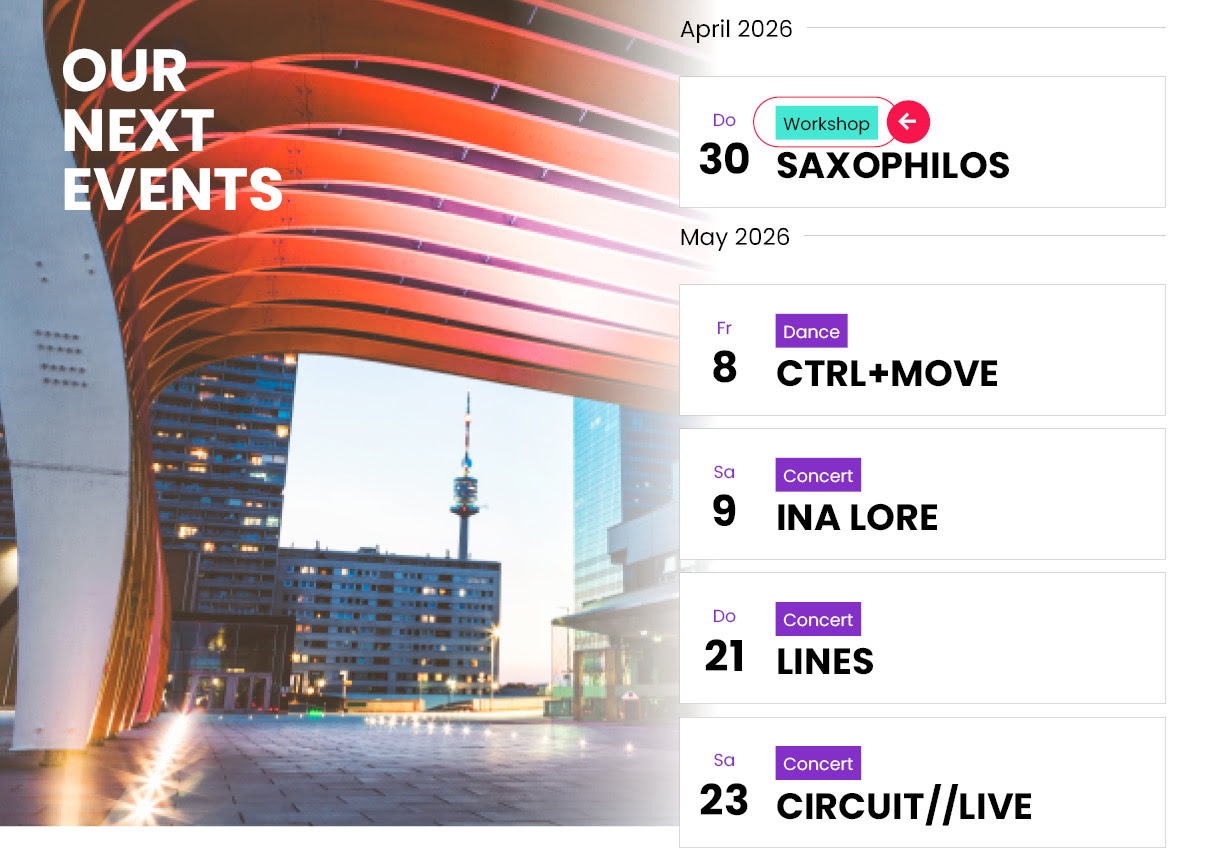
The color assigned in the category settings will be used as the background color for the category label in the event views.
Edit a Category
If you want to edit a category, hover your mouse over the title of the category you want to edit in the table on the right and click the link Edit that appears. Alternatively, you can also click on the category title. In the category editor, you can change the desired settings and then click the button Update to save your changes.